eSIM Brazylia: Przedpłacony internet mobilny na Twoją podróż
Wprowadzenie
Brazylia jest ogromna, a jedna podróż rzadko pozwala zobaczyć więcej niż jej niewielki wycinek. Podróżni mogą spędzać dni na plażach Rio de Janeiro pod pomnikiem Chrystusa Odkupiciela, odkrywać scenę restauracyjną i galeryjną São Paulo, podziwiać wodospady Iguazú lub wyruszyć w dorzecze Amazonki, by przeżyć coś zupełnie innego. Ponieważ kraj ten rozciąga się na wiele stref czasowych i klimatów, przemieszczanie się między celami podróży zazwyczaj wiąże się z kombinacją lotów krajowych, długich przejazdów autobusowych i komunikacji miejskiej – a wszystko to łatwiej zorganizować, mając pod ręką gotowy dostęp do internetu.
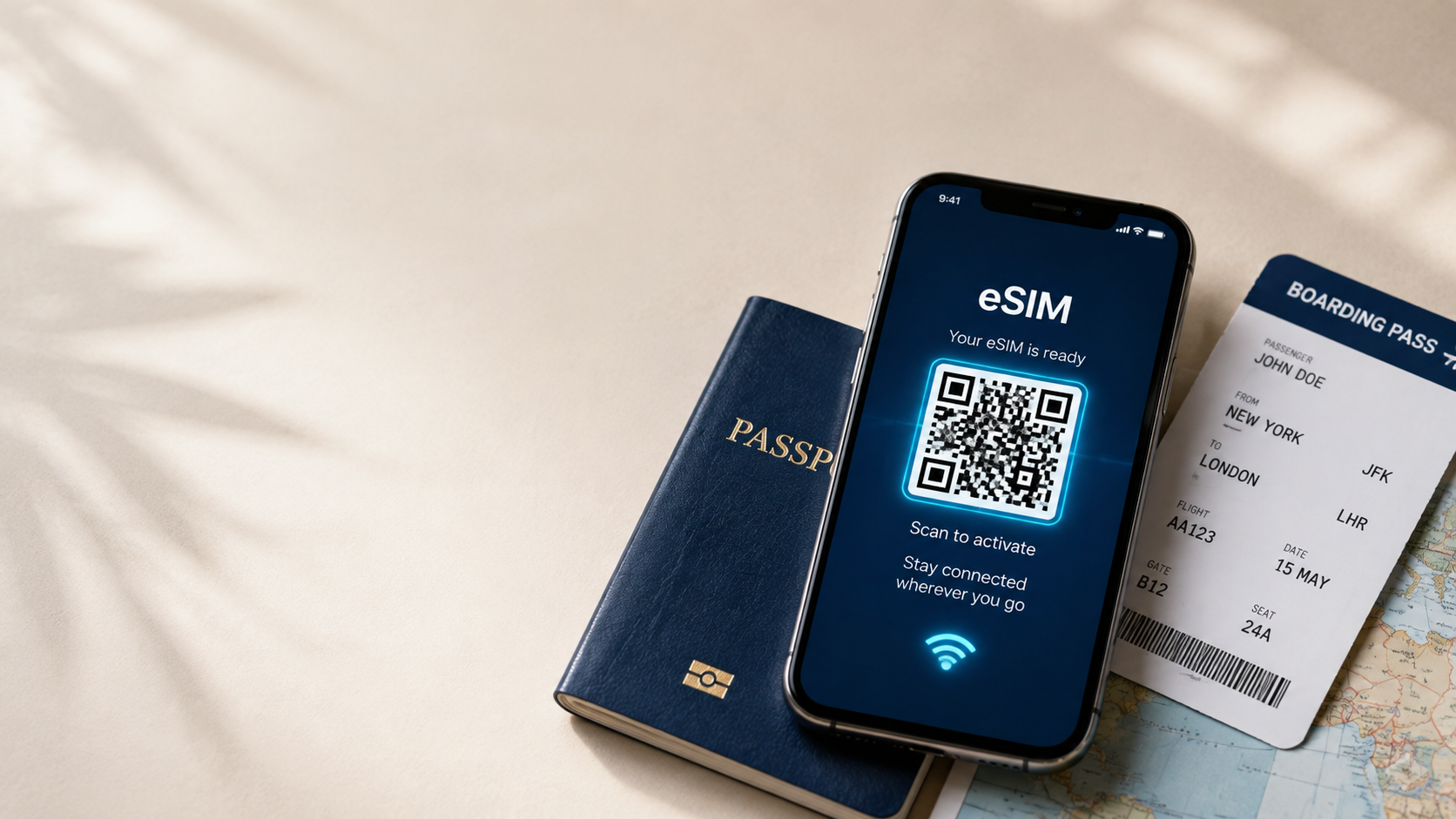
Przedpłacona karta eSIM do Brazylii przygotuje Cię na taką wyprawę. Zamiast płacić wysokie stawki roamingowe u swojego operatora lub szukać sklepu z kartami SIM po wylądowaniu na brazylijskim lotnisku, możesz mieć aktywny internet jeszcze przed wejściem na pokład samolotu.
Dlaczego warto wybrać eSIM do Brazylii?
Opłaty roamingowe mogą szybko wzrosnąć, zwłaszcza podczas podróży po wielu miastach Brazylii, gdzie przez cały dzień polegasz na mapach, aplikacjach do zamawiania przejazdów i narzędziach do tłumaczenia. Zakup lokalnej karty SIM to jakaś opcja, ale zazwyczaj wiąże się to z koniecznością znalezienia sklepu, okazania dokumentu tożsamości i rejestracji nowego numeru – co może być trudniejsze, niż się wydaje, jeśli nie znasz dobrze języka portugalskiego.
Karta eSIM pozwala uniknąć tych problemów. Ponieważ jest to profil cyfrowy, a nie fizyczna karta, możesz zainstalować go przed lotem i włączyć w momencie lądowania, niezależnie od tego, czy jest to São Paulo, Rio de Janeiro, czy inne miasto przesiadkowe. Jest to szczególnie przydatne, jeśli Brazylia jest tylko jednym z przystanków na szerszej trasie po Ameryce Południowej.
Zalety zakupu w iNeedeSIM
- Natychmiastowa dostawa e-mail: Twój eSIM i kod QR trafią do Twojej skrzynki odbiorczej zaraz po zakupie.
- Prosta aktywacja kodem QR: Zeskanuj kod raz, a Twój telefon zajmie się resztą.
- Brak fizycznej karty SIM: Nic nie trzeba wkładać ani wymieniać, a Twoja oryginalna karta SIM pozostaje na swoim miejscu.
- Bezpieczna płatność online: Płatności są przetwarzane przez chroniony system.
- Elastyczne plany przedpłacone: Wybierz pakiet danych dopasowany do długości Twojej podróży.
- Niezawodna obsługa klienta: Dostępna, jeśli masz pytania podczas konfiguracji lub w trakcie podróży.
Łączność mobilna w Brazylii
- Poruszanie się po plażach i metrze w Rio lub po znacznie większej aglomeracji São Paulo.
- Rezerwowanie przejazdów w aplikacjach lub sprawdzanie tras autobusów i metra między miastami.
- Tłumaczenie menu i znaków, ponieważ portugalski jest językiem urzędowym, a angielski nie zawsze jest powszechnie używany poza głównymi obszarami turystycznymi.
- Sprawdzanie statusu lotów na trasach krajowych, biorąc pod uwagę, jak często duże odległości wymagają podróży samolotem.
- Wiadomości i rozmowy wideo, aby pozostać w kontakcie podczas podróży.
- Sprawdzanie informacji o bezpieczeństwie lub kontekście dzielnic, co jest szczególnie przydatne w większych miastach.
- Udostępnianie zdjęć z wodospadów Iguazú, plaży Copacabana czy Amazonii na bieżąco.
Popularne miejsca, w których podróżni potrzebują internetu
- Rio de Janeiro: Dom Chrystusa Odkupiciela, plaż Copacabana i Ipanema oraz góry Głowa Cukru.
- São Paulo: Największe miasto Brazylii, znane ze sceny gastronomicznej, muzeów i życia nocnego.
- Wodospady Iguazú: Rozległy system wodospadów na granicy z Argentyną, jedna z największych atrakcji przyrodniczych Ameryki Południowej.
- Salvador: Znane z kultury afro-brazylijskiej, kolorowej architektury kolonialnej i tętniącej życiem sceny muzycznej.
- Amazonia: Dostępna z miast takich jak Manaus, oferująca rejsy rzeczne i dżunglowe domki.
- Florianópolis: Wyspa popularna ze względu na plaże i spokojniejsze tempo życia.
Jak aktywować eSIM?
- Kup swój eSIM do Brazylii na iNeedeSIM i wybierz plan pasujący do Twojej podróży.
- Sprawdź swój e-mail, aby otrzymać kod QR i instrukcje konfiguracji.
- Otwórz ustawienia telefonu i przejdź do sekcji danych mobilnych.
- Zeskanuj kod QR za pomocą aparatu lub wbudowanego instalatora eSIM w telefonie.
- Potwierdź instalację i nazwij plan, jeśli chcesz odróżnić go od swojej domowej karty SIM.
- Aktywuj plan danych przed lotem lub po wylądowaniu w Brazylii.
Zgodność urządzeń
Karta eSIM wymaga telefonu obsługującego tę technologię, więc warto to sprawdzić przed zakupem. Większość nowszych modeli iPhone'ów i telefonów z systemem Android obsługuje eSIM, choć zależy to od modelu, operatora i regionu zakupu. Sprawdź w ustawieniach urządzenia opcję eSIM lub "Dodaj plan komórkowy" i upewnij się, że Twój telefon nie ma blokady simlock.
Dlaczego podróżni wybierają iNeedeSIM?
W przypadku tak dużego i różnorodnego kraju jak Brazylia, wcześniejsze zadbanie o łączność zdejmuje duży ciężar z planowania podróży po wielu miastach. iNeedeSIM zapewnia prosty proces zakupu, szybką dostawę eSIM przez e-mail i nie wymaga wiedzy technicznej do konfiguracji. Jeśli po drodze pojawi się jakiś problem, wsparcie jest zawsze dostępne.
Podsumowanie
Od plaż Rio po huk wodospadów Iguazú i głębię Amazonii – Brazylia to kraj, który nagradza podróżników potrafiących poruszać się po nim z pewnością siebie. Przedpłacona karta eSIM oznacza, że możesz wylądować gotowy do nawigacji, tłumaczenia i rezerwowania usług w trakcie podróży. Skonfiguruj swój eSIM do Brazylii przez iNeedeSIM przed lotem i spędź więcej czasu na odkrywaniu, a mniej na zarządzaniu planem telefonicznym.