Stay Connected Across the Island Without the Roaming Bill
Introduction
Aruba is a small island with an outsized reputation. Just twenty miles off the coast of Venezuela, it's known for its dry, sunny climate, powdery white beaches like Eagle Beach and Palm Beach, and a laid-back Dutch Caribbean atmosphere that draws honeymooners, cruise passengers, and families alike. Whether you're planning to windsurf at Fisherman's Huts, explore the cactus-studded landscape of Arikok National Park, or simply wander the pastel streets of Oranjestad, staying connected while you travel makes the whole trip smoother.
That's where a prepaid Aruba eSIM comes in. Instead of hunting for a local SIM card shop after landing or paying steep international roaming charges from your home carrier, you can arrive with mobile data already set up on your phone. An eSIM for Aruba gives you internet access for maps, translation apps, ride bookings, and staying in touch with people back home — all without the hassle of a physical SIM card.
Why Choose an eSIM for Aruba
Traditional options for staying online abroad usually come down to two choices: pay your home network's roaming fees, or find a local SIM card once you land. Both have drawbacks. Roaming can be expensive and unpredictable, especially if you're using data for navigation or video calls throughout your trip. Physical SIM cards, meanwhile, require you to track down a vendor, possibly show identification, and swap out your existing SIM — which is inconvenient if you're only on the island for a few days.
A travel eSIM solves both problems. Since it's a digital SIM profile rather than a physical card, there's nothing to lose, swap, or damage. You can purchase your Aruba eSIM before you even leave home, install it in a few minutes, and have it ready to activate the moment you land at Queen Beatrix International Airport. This is particularly useful for travelers who are only in Aruba for a short stay, such as cruise passengers with a single day in port, since there's no need to deal with in-person SIM registration.
Benefits of Buying from iNeedeSIM
When you purchase your Aruba eSIM through iNeedeSIM, the process is built around convenience:
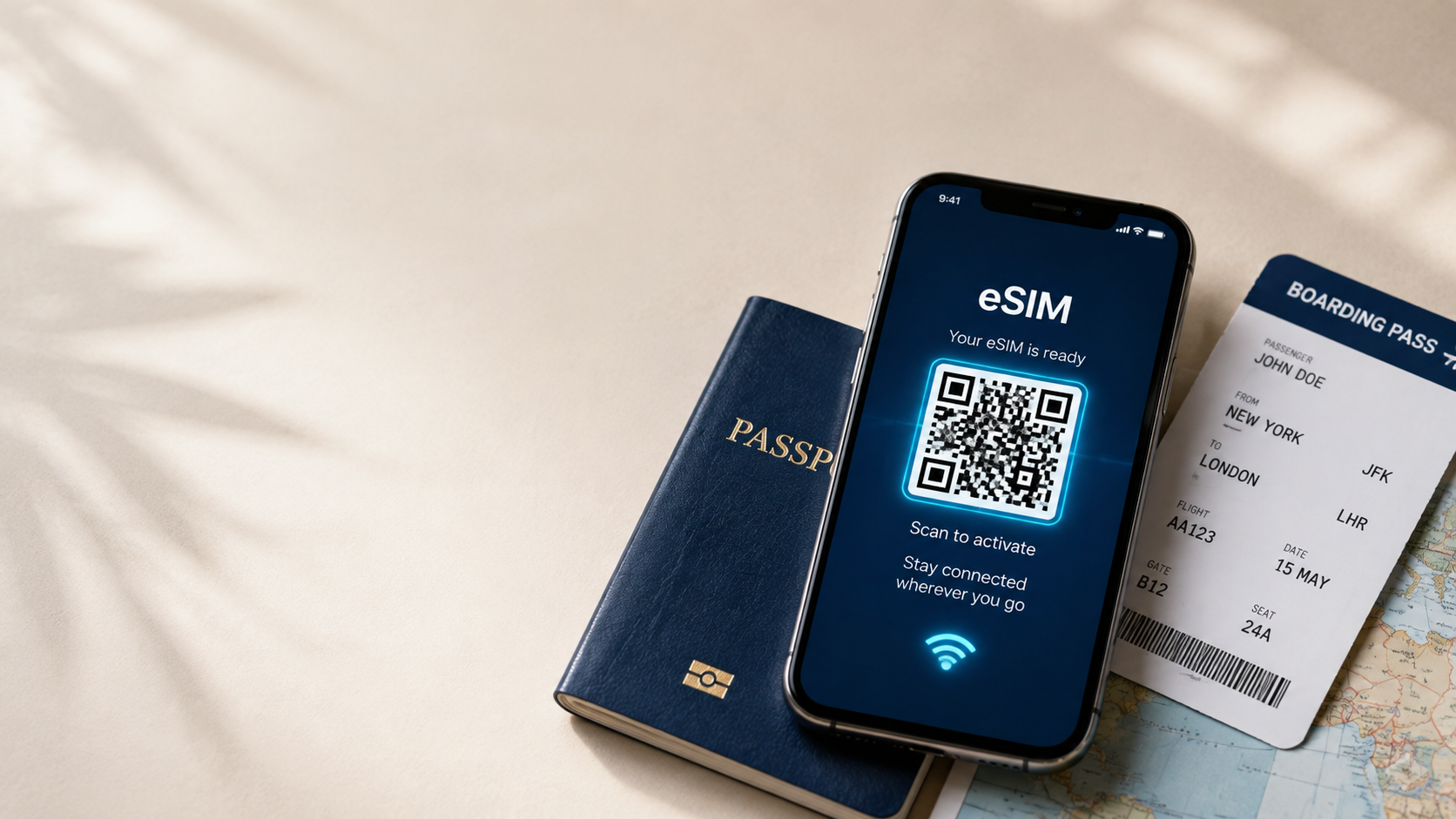
Instant email delivery – Your eSIM and QR code arrive in your inbox shortly after purchase, so you can set everything up well before departure. Simple QR code activation – No technical knowledge required. Scan the code, confirm the installation, and your eSIM is ready. No physical SIM card – There's nothing to insert, remove, or lose, and your original SIM stays untouched in your phone. Secure online checkout – Your purchase is processed through a protected payment system. Flexible prepaid plans – Choose a data package that matches how long you're staying and how much you expect to use your phone. Reliable customer support – If you run into questions during setup or while traveling, help is available.
This combination means you can handle your connectivity planning from your couch at home, rather than searching for a phone shop in an unfamiliar country.
Mobile Connectivity in Aruba
Once you're on the island, mobile data becomes part of the everyday travel experience more often than people expect. You'll likely use it to:
Pull up maps and directions while driving the coastal roads or navigating downtown Oranjestad Book a taxi or check ride availability Translate a menu or a sign, particularly since Aruba's official languages include Dutch and Papiamento alongside widely spoken English and Spanish Check flight status, hotel confirmations, or excursion bookings Share photos of the beach, the Alto Vista Chapel, or the California Lighthouse with friends and family in real time Stay reachable for work if you're traveling with business obligations Look up restaurant hours, tour operator contact details, or weather updates before a day out
Because Aruba is a compact island, many travelers get around by rental car, taxi, or organized tour — all of which benefit from having reliable navigation and communication on hand.
Popular Places Where Travelers Need Internet
Connectivity is especially useful in and around the destinations that draw most visitors to Aruba:
Oranjestad – The capital city, home to shopping streets, restaurants, and the cruise port, where checking maps and reviews comes in handy. Palm Beach – A hub of resorts, watersports operators, and nightlife, where booking activities on the go is common. Eagle Beach – Frequently ranked among the island's best beaches, popular for photos and location tagging. Arikok National Park – A protected area covering roughly a fifth of the island, where GPS and offline map backups are useful for exploring trails and rock formations like the Natural Pool. San Nicolas – Known for street art and a more local, laid-back vibe, worth researching before you go. Baby Beach and Boca Catalina – Popular snorkeling spots where visitors often look up conditions and directions in advance.
Whether you're island-hopping between beaches or heading inland to explore the desert-like terrain, having mobile data on hand makes it easier to plan each stop.
How to Activate Your eSIM
Getting set up is designed to be quick, even for travelers who've never used an eSIM before:
Purchase your Aruba eSIM on the iNeedeSIM website and choose the data plan that fits your trip length. Check your email for your QR code and installation instructions, which typically arrive within minutes. Open your phone's settings and navigate to the mobile or cellular data section. Scan the QR code using your phone's camera or the built-in eSIM scanner in your settings. Confirm the installation and label the new eSIM plan if prompted, so you can easily switch between it and your home SIM. Activate the data plan either immediately or once you land in Aruba, depending on the plan's terms.
Because installation can be completed before you fly, many travelers set everything up the night before departure so there's nothing left to do on arrival.
Device Compatibility
Not every smartphone supports eSIM technology, so it's worth checking your device before you buy. Most recent iPhone and Android flagship models released in the past several years include eSIM support, but availability can vary by model, carrier, and region. Before purchasing, check your phone's settings menu for an eSIM or "Add Cellular Plan" option, or consult your device manufacturer's specifications. Your phone will also need to be carrier-unlocked to install a third-party eSIM.
Why Travelers Choose iNeedeSIM
Travelers heading to Aruba often choose iNeedeSIM because the entire experience is designed around removing friction from an already busy pre-trip checklist. There's no waiting in line at an airport kiosk, no paperwork, and no guessing about coverage once you land. The checkout process is transparent about what you're buying, delivery is fast, and support is available if you need help along the way. For travelers who value predictability — knowing their data plan is sorted before they even board the plane — that combination of convenience and clarity matters.
Frequently Asked Questions
Do I need a physical SIM card to use an eSIM in Aruba? No. An eSIM is a digital SIM profile installed directly on your device, so there's no physical card to insert or manage.
When should I activate my Aruba eSIM? You can install the eSIM profile before you travel, but many plans allow you to choose when the data plan itself activates — either immediately or once you arrive on the island.
Will my eSIM work throughout the entire island? Coverage generally extends across Aruba's populated areas and main tourist destinations, though as with any mobile network, remote or rural spots may vary.
Can I still receive calls and texts on my regular number while using an eSIM for data? Yes, in most cases your phone can keep your original SIM active for calls and texts while using the eSIM for data, provided your device supports dual SIM functionality.
What happens if I run out of data during my trip? You can typically purchase an additional plan or top-up through iNeedeSIM if you need more data before your trip ends.
Is my phone eSIM-compatible? Most newer iPhone and Android smartphones support eSIM, but it's best to confirm through your device's settings before purchasing.
Do I need Wi-Fi to install the eSIM? Yes, since the eSIM profile is installed via a QR code, you'll need an internet connection (Wi-Fi or existing data) at the time of installation.
Can I use the eSIM for a short cruise stop in Aruba? Yes. Since setup takes just a few minutes and can be done before departure, an eSIM is a practical option even for travelers with a single day in port.
Does the eSIM work for both browsing and navigation apps? Yes, the data plan supports standard mobile internet use, including maps, messaging apps, browsers, and ride-hailing services.
Is buying an eSIM online secure? Yes, purchases through iNeedeSIM are processed through a secure checkout system, and your eSIM details are delivered directly to your email.
Can I install the eSIM before I leave for Aruba? Yes, installation can be completed in advance, so all you need to do on arrival is activate the plan if you haven't already.
Do I need to remove my current SIM card to use the eSIM? No, your existing physical SIM can typically remain in place, since the eSIM operates as a separate profile on eSIM-compatible devices.
Conclusion
Aruba's beaches, national park trails, and laid-back island towns are easier to enjoy when you're not worrying about phone bills or hunting for a SIM card vendor after a long flight. A prepaid eSIM lets you handle your connectivity ahead of time, so you can focus on the trip itself — whether that's snorkeling at Boca Catalina, wandering Oranjestad's shops, or catching the sunset at Palm Beach. Set up your Aruba eSIM through iNeedeSIM before you depart, and arrive ready to stay connected from the moment you land.