Ecuador eSIM: Connectivity From the Andes to the Galápagos
Ecuador packs an unusual amount of geographic variety into a relatively small footprint — Andean mountain cities, the Amazon rainforest, Pacific coastline, and the Galápagos Islands, all reachable on the same trip. That range makes staying connected a genuinely different challenge depending on where you are, and it's exactly why a dedicated Ecuador eSIM is worth setting up before you fly. Install it ahead of time, and you land in Quito, Guayaquil, or Baltra already able to check a map, confirm a hotel booking, or message a tour operator.
Whether you're trekking near Cotopaxi, snorkeling off Santa Cruz Island, or working on a laptop from a café in Cuenca, this page walks through what to expect from mobile data across Ecuador and how ineedesim gets you set up without a stop at a local carrier store.
Why an eSIM Beats a Local SIM Card Here
Picking up a physical SIM in Ecuador typically means a visit to a Claro, Movistar, or CNT outlet, ID in hand, and sometimes a wait that eats into your first day. For travelers heading straight to the Galápagos or a short Andean itinerary, that's time better spent elsewhere.
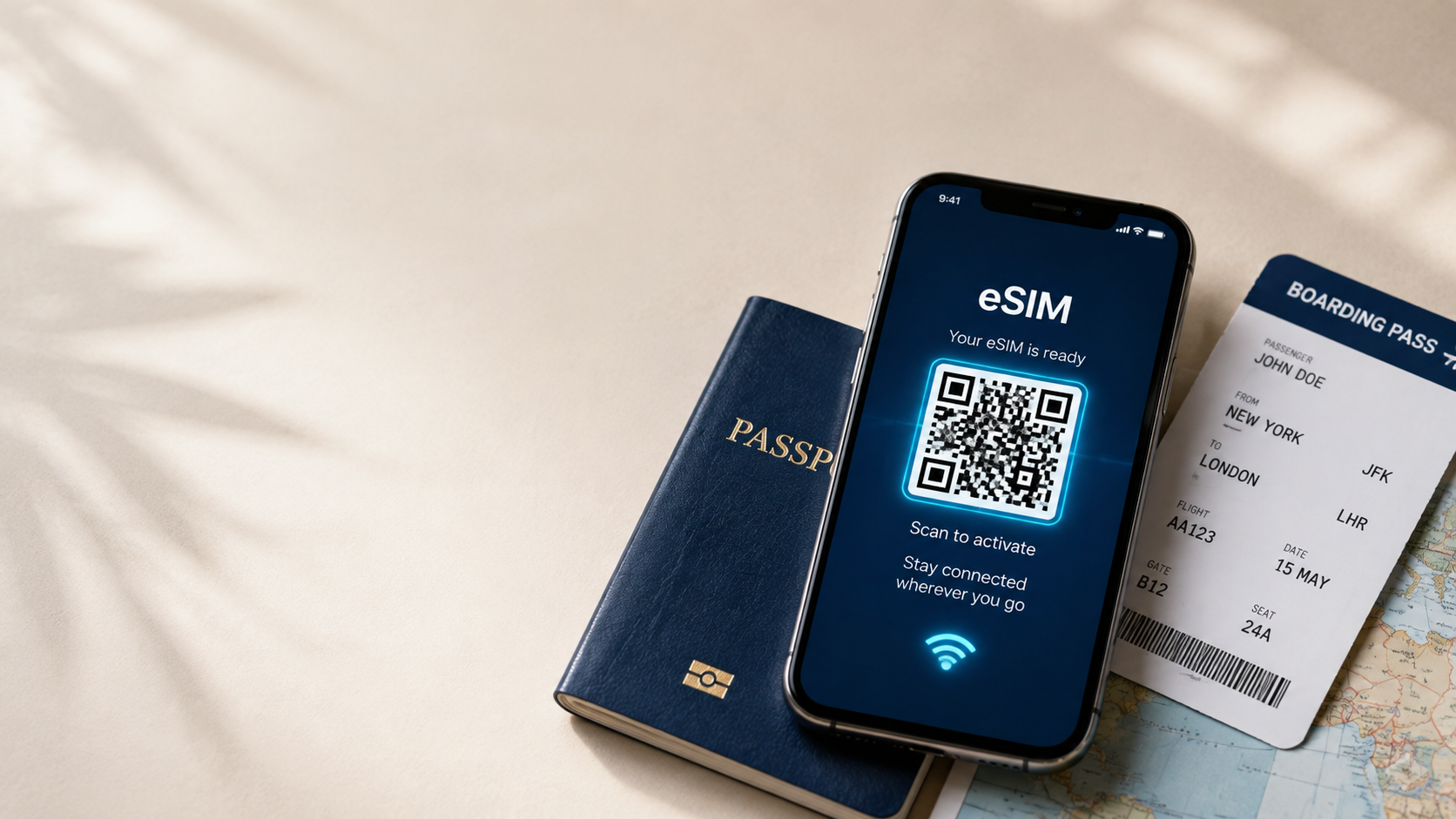
An eSIM sidesteps the whole process. You select a data plan, get a QR code by email, and install it before departure — nothing to pick up on arrival. Your original phone number stays active throughout, so calls and texts still reach you while your Ecuador data plan runs independently.
There's also a cost advantage. Standard international roaming charges in Ecuador can be steep, and rates aren't always clear until the bill lands. A prepaid eSIM plan fixes the cost upfront, with no ambiguity about what you're paying for.
Mobile Coverage Across Ecuador's Regions
Coverage varies meaningfully by region, which is worth knowing before you travel. In the Sierra (the Andean highlands, including Quito and Cuenca), networks are dependable and cover most populated areas well. The coastal region around Guayaquil and Manta is similarly solid.
The Amazon region (El Oriente) has patchier coverage, concentrated around towns like Tena and Puyo, with weaker signal deeper in the rainforest, where many lodges rely on satellite internet rather than mobile networks. The Galápagos Islands have coverage on the main inhabited islands (Santa Cruz, San Cristóbal, Isabela), though it thins out on smaller or uninhabited islands visited only by boat tours.
Speeds in Practice
4G LTE is standard in Quito, Guayaquil, Cuenca, and most mid-sized cities, handling maps, messaging, and streaming without issue. In the Galápagos and Amazon regions, speeds can be noticeably slower, so downloading offline maps for boat excursions or jungle lodges is a smart backup, even with an active eSIM plan.
Regions Where Travelers Rely on Their eSIM Most
Quito Ecuador's capital sits at a high altitude and has a sprawling layout, and live navigation helps significantly when moving between the historic center and newer districts like La Mariscal.
Cuenca A popular base for both tourists and long-term expats, where data helps with everything from finding a specific café to arranging day trips into the surrounding Cajas mountains.
Galápagos Islands Between boat transfers, park permits, and tour check-ins, having a working connection on Santa Cruz or San Cristóbal simplifies logistics considerably, even if signal fades once you're out on the water.
Amazon Basin Lodges Many jungle lodges are remote by design, so a working eSIM in gateway towns like Tena or Coca is most useful before and after the trip into the rainforest itself, when lodges typically go offline.
Baños and the Avenue of the Volcanoes A hub for adventure activities like zip-lining and hiking, where checking weather conditions and route info matters given the mountainous terrain.
Business Travel in Quito and Guayaquil
Ecuador's two largest cities host most of the country's business and conference activity. Professionals arriving for meetings benefit from data becoming available immediately, particularly since Quito's airport sits well outside the city center, making early navigation useful.
Remote Workers and Digital Nomads
Cuenca and Quito have both developed reputations as affordable bases for remote work, with a growing café and co-working scene. Since Wi-Fi quality varies by accommodation, a mobile eSIM plan provides a dependable option for video calls and file transfers.
Backpackers Traveling Ecuador's Full Route
Independent travelers moving between the Andes, coast, and Amazon over several weeks benefit most from an eSIM's flexibility, avoiding the need to source local SIMs in multiple towns or regions along the way.
Families Visiting the Galápagos
Families booking Galápagos cruises or island-hopping itineraries often need to coordinate schedules, tour pickups, and park logistics — all of which are easier with active data rather than relying on hotel or boat Wi-Fi alone.
Setting Up Your Ecuador eSIM
Choose a data plan. Pick an allowance sized to your itinerary, especially if you're combining mainland Ecuador with the Galápagos.
Get your QR code. Delivered by email right after purchase, ready whenever you are.
Install before you leave. Scan the Wi-Fi code before your flight so it's already configured on arrival.
Activate on landing. Switch off airplane mode once you're in Ecuador, and your data connects automatically.
Device Compatibility
Most smartphones from recent years support eSIM, including current iPhone, Samsung Galaxy, and Google Pixel models across iOS and Android. Confirm your device is eSIM-compatible before purchasing to avoid activation problems.
Tips for Staying Connected Across Ecuador
Download offline maps for the Galápagos and Amazon regions before departure, since signal can be inconsistent. Install your eSIM ahead of time so it's ready without needing Wi-Fi upon arrival. Turn on data roaming specifically for the eSIM profile in your phone's settings after installation. If your trip includes nearby countries like Peru or Colombia, check whether a regional South America plan better fits your route than a single-country plan.
Avoiding Roaming Charges
International roaming in Ecuador can be expensive and unpredictable, particularly for data-heavy uses like video calls or navigation apps running constantly. An eSIM plan replaces that with a fixed allowance purchased in advance, so there are no surprise charges once you're back home.
Why Travelers Use ineedesim for Ecuador
ineedesim delivers your eSIM instantly by QR code, with transparent pricing and no hidden fees, across 190+ destinations including Ecuador. Whether your trip is a Galápagos cruise, an Andean trek, or a mix of all three regions, getting connected takes minutes rather than a stop at a local carrier.
Conclusion
Few countries pack in as much geographic contrast as Ecuador, and staying connected across that range — from Andean peaks to island coastlines — matters more than it might elsewhere. An Ecuador eSIM keeps you online throughout, without the cost of roaming or the hassle of tracking down a local SIM card across three different regions.